Big Walk item wiki
Big Walk Whiteboard and Sign Guide
Whiteboards are officially named in Big Walk, with a question mark indicating deliberate mystery. The release build links the whiteboard mesh to a sign object with text input, supporting a typed-message role.
Fact-checked against official sources · Updated August 4, 2026
Quick answer
Whiteboard quick facts
| Category | Message |
|---|---|
| Evidence | Officially named |
| Also searched as | whiteboard, sign, message sign, text sign |
| Wiki status | Confirmed item; mechanics documented only where sourced |
What is the Whiteboard in Big Walk?
Text communication already follows Big Walk’s environmental rules, and the whiteboard adds a physical message object to that system. A launch-day report describes signs that players can type messages on.
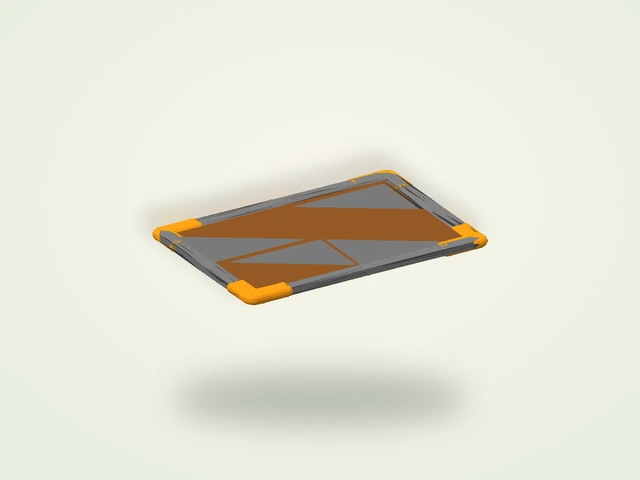
Local data strengthens that description: SignKernal uses the whiteboard mesh and includes Text (TMP) and SignTextInput objects. This is stronger evidence than the mesh name alone, although persistence and limits still need live testing.
What does the Whiteboard do?
- Present or display a player-entered text message.
- Provide a physical alternative to proximity chat.
- Use a whiteboard model inside the local sign system.
Evidence from the release build
The release build connects SignKernal to the whiteboard mesh and includes SignTextInput plus a rendered text component. The image comes from that whiteboard model.
What is still unknown?
The following details are not treated as facts until they can be reproduced in a released session or documented by House House:
- Maximum message length
- Whether messages persist between sessions
- Where signs can be placed or carried
Puzzle connections
This item is part of Big Walk’s communication and puzzle toolkit. For verified leads on where items and world objects appear, see the puzzles guide and the tasks & challenges index. See also:
Sources: the official Big Walk feature list, the official FAQ, and the locally installed macOS Steam build inspected August 4, 2026. Launch-day carrying or use observations are attributed to PC Gamer’s hands-on report.